Watercolor Dog Portraits: Turn Your Dog’s Photo into Art
How to turn one photo into a watercolor dog portrait — what makes the style so loved, which photos work best, and how to print and gift the result.
 AI Paint My Pet Team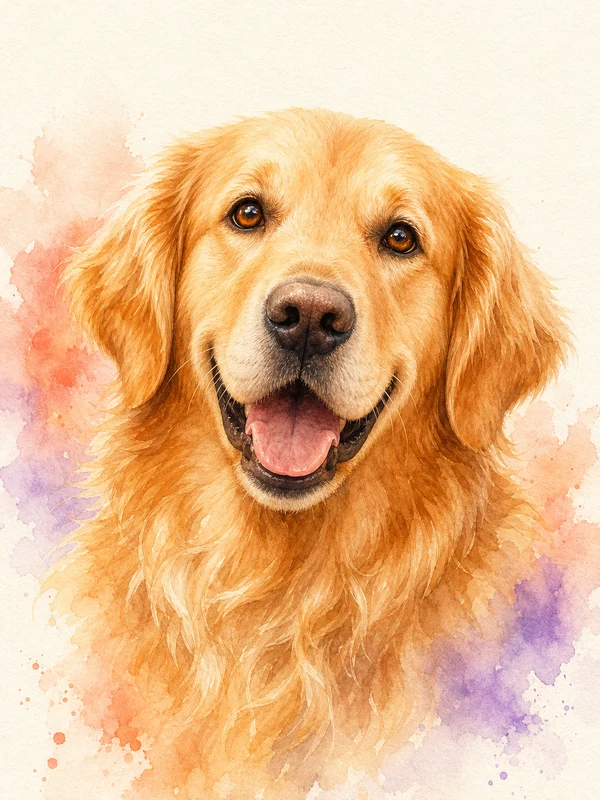
Watercolor dog portraits are a popular pet portrait style because soft washes and loose edges feel warm and hand-made, while a well-crafted portrait still keeps every marking that makes your dog your dog. This guide covers what makes the style work, how to create a watercolor dog portrait from a single photo, and how to get a result worth framing.
Why watercolor works so well for dog portraits
Oil paintings feel formal. Cartoons feel playful. Watercolor sits in the middle — expressive without being stiff, artistic without hiding the likeness. A watercolor dog portrait reads instantly as art on a wall, yet friends still recognize the dog from across the room.
The style is especially forgiving for dogs because:
- Fur translates beautifully into washes. Soft gradients mimic the way light falls on a coat far better than hard digital lines do.
- Loose backgrounds keep the focus on the face. A few color blooms behind the head frame the eyes without competing with them.
- Imperfection reads as charm. Slightly uneven edges feel painterly, not like a mistake.
What makes a strong watercolor result
Whether it is painted by hand or generated by AI, the portraits people actually hang share the same traits:
- The likeness comes first. Eye color, ear set, muzzle shape, and every distinctive marking should survive the artistic treatment. If the patch over the left eye is gone, it is a nice painting of a dog — not yours.
- The washes stay loose at the edges. The face is detailed; the shoulders and background dissolve into color. That contrast is what makes watercolor feel like watercolor.
- The palette flatters the coat. Warm coats pair with cool background washes and vice versa, so the dog pops instead of blending in.
How to create a watercolor dog portrait from one photo
A hand-painted commission can be a wonderful choice when the artist, budget, and schedule fit. An AI pet portrait generator offers a faster way to preview the idea from one photo:
- Upload one clear photo of your dog — face visible, decent light.
- Choose the Watercolor style. There is no prompt to write; the art direction is built in.
- Download your portrait. If you want the highest-detail 1K digital version, generate it with the Ultra model.
You can try it free — every day includes one free AI pet portrait, so you can see how your dog looks in watercolor before spending anything.
Choosing the right photo of your dog
The photo determines 80% of the result. Aim for:
- Natural light, ideally near a window or outdoors in shade — no harsh flash.
- Eye level with the dog, so the proportions look natural rather than distorted from above.
- The face unobstructed — no toys, hands, or leashes crossing the muzzle.
- One dog per photo. Group shots confuse the composition.
Black dogs and very fluffy breeds are the classic hard cases. For dark coats, pick a photo with soft directional light that shows the contours of the face rather than a silhouette.
Printing and gifting your watercolor portrait
Watercolor dog portraits make exceptional gifts — birthdays, adoptions, and memorials most of all. For personal printing, review the 1K Ultra output at your intended size and follow your print provider’s guidance; matte or textured paper often complements the soft look better than a glossy finish. Our pricing is one-time, not a subscription, and credits never expire, so you can create portraits of every dog in the family at your own pace.
Not just dogs: watercolor cat portraits
Everything above applies to cats too. Watercolor handles whiskers, tabby stripes, and calico patches particularly well — the same one-photo process produces a watercolor cat portrait just as easily.
Ready to see your dog in watercolor? Create your free portrait now — one photo and no prompt writing required.